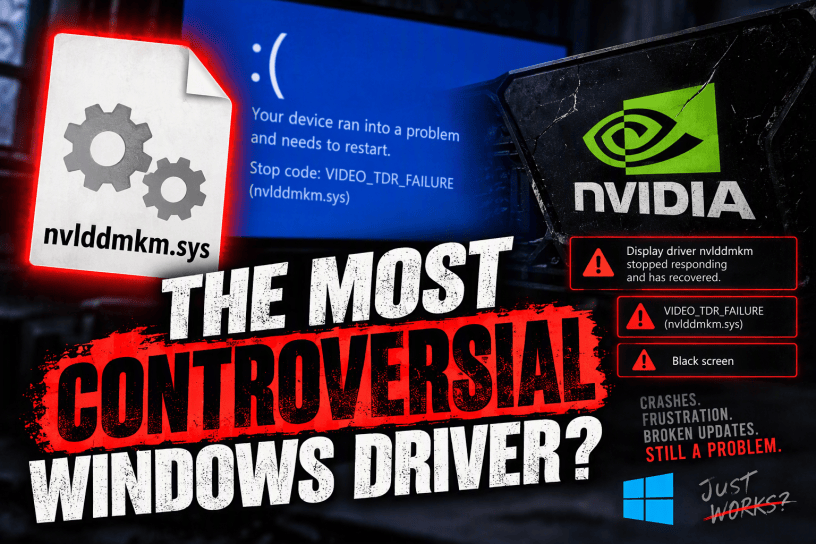
For decades, Windows users have blamed Microsoft when their PCs crash, freeze, stutter, or throw mysterious blue screens. Yet some of the most frustrating experiences on modern Windows systems originate not from Windows itself, but from third-party drivers. Among these, few files have earned a reputation as notorious as nvlddmkm.sys, NVIDIA’s Windows kernel-mode graphics driver.
If you’ve ever searched online for solutions to random display resets, black screens, game crashes, system instability, VIDEO_TDR_FAILURE blue screens, or unexplained graphics issues, chances are you’ve encountered this filename. It appears so frequently in crash logs and troubleshooting discussions that it has become something of a legend in the Windows ecosystem.
This article examines why nvlddmkm.sys has become one of the most criticized files on Windows systems, how it contributes to user frustration, and why its recurring problems highlight larger issues within the Windows graphics driver model.
What Is nvlddmkm.sys?
The file nvlddmkm.sys is the primary NVIDIA Windows display driver. It operates in kernel mode, meaning it runs with extremely high system privileges.
Its responsibilities include:
- Managing communication between Windows and NVIDIA GPUs
- Handling graphics rendering requests
- Coordinating video memory access
- Communicating with DirectX
- Supporting hardware acceleration
- Managing power states and GPU scheduling
Without it, an NVIDIA graphics card is essentially reduced to a generic display device.
Because the driver sits between Windows and the graphics hardware, any instability within the file can have system-wide consequences.
That is precisely why criticism of nvlddmkm.sys tends to be particularly intense.
The Error That Refuses to Die
Few Windows files have become as infamous through error messages alone.
Many users eventually encounter messages such as:
- Display driver nvlddmkm stopped responding and has recovered
- VIDEO_TDR_FAILURE (nvlddmkm.sys)
- Driver timeout detection and recovery errors
- Black screen followed by desktop recovery
What makes these incidents frustrating is their unpredictability.
A system may function perfectly for weeks.
Then a game crashes.
Then a streaming application causes a display reset.
Then a Windows update introduces instability.
Then a new driver version resolves one issue while creating three others.
Users are often left with the feeling that they are participating in an endless experiment.
The Driver Update Cycle Problem
One of the biggest criticisms of nvlddmkm.sys is that fixing one issue often creates another.
Modern GPU drivers are no longer simple packages focused solely on graphics output.
NVIDIA drivers now include:
- Telemetry components
- Streaming features
- Overlay systems
- AI functionality
- Recording systems
- Performance optimization frameworks
- Background services
As the software grows more complex, the chances for unexpected interactions also increase.
A driver release intended to optimize the latest blockbuster game may inadvertently introduce instability into older titles.
Users frequently report experiences such as:
Driver version A crashes Game X.
Driver version B fixes Game X but breaks VR.
Driver version C fixes VR but introduces stuttering.
Driver version D creates black screens.
The result is a strange situation where many enthusiasts deliberately avoid installing the newest drivers.
That alone should be considered a major criticism.
Software updates are supposed to increase confidence.
Instead, many experienced users approach NVIDIA driver releases with caution and skepticism.
Too Much Complexity
Modern graphics drivers have become enormous.
Years ago, display drivers primarily managed graphics rendering.
The contemporary NVIDIA driver package increasingly resembles an operating system within the operating system.
Additional features include:
- GeForce Experience integration
- AI enhancements
- Shader caching systems
- Capture functionality
- Game optimization databases
- Overlay systems
- Multi-monitor management
- Video processing frameworks
Every additional feature introduces potential failure points.
Users who simply want:
- Graphics rendering
- Stable operation
often find themselves installing software packages containing countless components they never requested.
When crashes occur, identifying the actual cause becomes far more difficult than it should be.
The Kernel Mode Problem
What makes nvlddmkm.sys especially dangerous is its location within the system architecture.
Applications crashing is annoying.
Kernel drivers crashing is catastrophic.
Because the driver operates at such a privileged level, failures can result in:
- Full-system freezes
- Blue screens
- Forced restarts
- Data loss
- Corrupted sessions
Users are often shocked when a graphics problem can completely disable an otherwise stable PC.
The reality is that kernel-mode software has enormous power.
When that software becomes increasingly complicated, risks naturally increase.
Some critics argue that modern graphics stacks place too much responsibility into a single driver component.
Troubleshooting Is Absurdly Difficult
One of the most frustrating aspects of nvlddmkm.sys issues is the troubleshooting process.
When users encounter crashes, possible causes include:
- Driver bugs
- Windows bugs
- GPU instability
- RAM instability
- Power supply issues
- PCIe problems
- Motherboard firmware
- Overclocking
- Hardware acceleration conflicts
- Third-party software
The error message rarely identifies the actual root cause.
As a result, users spend countless hours trying:
- Driver reinstalls
- Clean driver removal
- BIOS updates
- Registry edits
- Windows reinstalls
- Hardware testing
- Configuration changes
It is entirely possible to spend days troubleshooting an nvlddmkm.sys error without determining the real culprit.
That level of diagnostic ambiguity is a major quality-of-life problem.
The Windows Update Conflict
Another source of criticism comes from the interaction between Windows Update and graphics drivers.
Ideally, driver updates should be seamless.
Reality is often messier.
Windows may:
- Install a different NVIDIA driver automatically
- Replace an existing version
- Introduce unexpected compatibility changes
- Override carefully chosen configurations
This creates confusion for users attempting to maintain system stability.
A computer that has been running perfectly can suddenly develop issues following an update.
Determining whether Microsoft, NVIDIA, or another software component is responsible becomes difficult.
The user simply sees instability.
The filename most commonly associated with the crash becomes the target of frustration.
Gaming Exposes Every Weakness
Gaming workloads place extraordinary stress on graphics drivers.
Every major game release introduces:
- New rendering techniques
- New DirectX features
- New shader workloads
- New hardware combinations
This constant change means nvlddmkm.sys exists in a perpetual state of adaptation.
Critics argue that NVIDIA’s rapid optimization strategy occasionally prioritizes performance gains over long-term stability.
Benchmark improvements generate headlines.
Stability improvements often do not.
As a result, users may see impressive performance increases while simultaneously encountering driver regressions.
Even isolated problems can create widespread dissatisfaction when millions of systems are affected.
The Reputation Problem
The most damaging criticism may simply be the file’s reputation.
Many Windows users instantly recognize the name nvlddmkm.sys.
Very few operating system files become famous.
The ones that do generally become famous for negative reasons.
The moment users recognize a filename as a recurring source of crashes, a trust problem emerges.
Trust is difficult to earn and easy to lose.
For many enthusiasts, seeing nvlddmkm.sys appear in an event log immediately raises concerns.
Even when the driver is not the root cause, its history makes it an obvious suspect.
When Hardware Vendors Become Software Companies
The evolution of nvlddmkm.sys also reflects a broader industry trend.
Graphics card manufacturers are no longer just hardware vendors.
They are software providers.
The driver is now arguably as important as the GPU itself.
This creates new responsibilities:
- Software quality assurance
- Long-term maintenance
- Security updates
- Compatibility testing
- User experience management
Many criticisms directed at nvlddmkm.sys ultimately stem from the reality that software engineering remains extraordinarily difficult.
The challenge increases exponentially when supporting:
- Hundreds of GPU models
- Multiple Windows versions
- Thousands of games
- Millions of hardware combinations
While these challenges provide context, they do not eliminate the user experience problems.
Users judge systems by outcomes, not engineering complexity.
The TDR System Masks Deeper Problems
Windows includes a mechanism called Timeout Detection and Recovery (TDR).
Its purpose is to recover from graphics hangs without requiring a full reboot.
In theory, this is a clever solution.
In practice, it often masks underlying issues.
Users commonly experience:
- Temporary freezes
- Screen flickering
- Driver restarts
- Application crashes
rather than complete system failures.
While this is preferable to a hard lockup, it can create an illusion that the system has recovered successfully when the underlying instability remains unresolved.
The recurring appearance of nvlddmkm.sys in TDR-related events reinforces the perception that the driver remains fragile under certain workloads.
Why the Criticism Persists
The reason criticism of nvlddmkm.sys has persisted for so many years can be summarized in a single phrase:
The issues never seem completely gone.
The specific bugs change.
The hardware changes.
Windows versions change.
Games change.
Driver versions change.
Yet reports involving nvlddmkm.sys continue appearing year after year.
That persistent visibility creates a narrative that becomes difficult to escape.
Even if the vast majority of installations operate flawlessly, the consistency of public complaints keeps the driver’s reputation under pressure.
A Fair Counterargument
To be fair, not every nvlddmkm.sys crash is actually caused by NVIDIA.
The driver often serves as the messenger rather than the criminal.
Hardware failures, unstable memory, inadequate power supplies, overheating, driver conflicts, and software defects can all surface through graphics driver error reports.
In many cases, replacing the driver accomplishes nothing because the real problem lies elsewhere.
This distinction is important.
Nevertheless, users do not experience systems as engineers do.
They experience symptoms.
When a crash report repeatedly references the same file, that file inevitably becomes associated with the problem.
Conclusion
Among the countless files that comprise a modern Windows installation, few attract as much criticism as nvlddmkm.sys. Its position at the intersection of Windows, graphics hardware, gaming software, and kernel-level operations makes it uniquely vulnerable to blame whenever something goes wrong.
The file has become symbolic of larger challenges facing modern computing: increasing software complexity, rapid release cycles, growing feature bloat, and the difficulty of delivering rock-solid reliability across millions of different hardware configurations.
While NVIDIA has made substantial improvements to its drivers over the years, criticism of nvlddmkm.sys continues because the underlying frustrations many users experience remain familiar. Black screens, TDR warnings, crashes, freezes, and troubleshooting sessions that consume entire weekends all contribute to its enduring notoriety.
Whether the reputation is fully deserved is open to debate. What is harder to dispute is this: few individual Windows files have generated as much discussion, controversy, and user frustration as nvlddmkm.sys. In the crowded history of Windows drivers, it remains one of the most frequently blamed files ever created.

