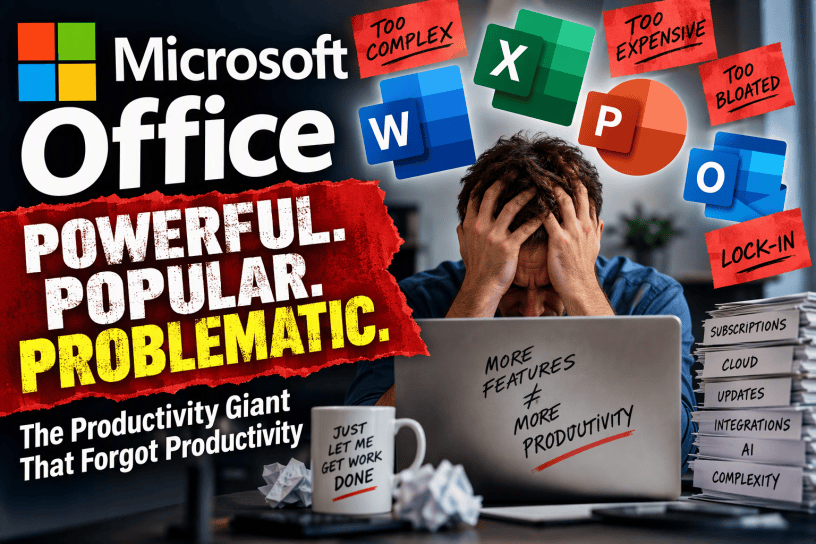
For decades, Microsoft Office was the undisputed king of workplace software. Word, Excel, PowerPoint, and Outlook became so dominant that many people stopped referring to them as products and instead treated them as the default way work was done. Entire industries standardized on Office formats. Schools taught it. Businesses required it. Recruiters listed it on job descriptions.
The problem is that dominance often brings complacency.
While Microsoft Office remains a powerful suite with millions of users worldwide, there is a growing argument that the software has become bloated, overpriced, increasingly confusing, and burdened by decisions that serve Microsoft’s business goals better than the people actually using the applications. What was once a set of focused productivity tools now feels like a sprawling ecosystem designed to maximize subscriptions, push cloud services, and maintain lock-in.
Microsoft Office is still important. It is still influential. It is still widely used.
But that does not mean it deserves to escape criticism.
From Essential Tool to Endless Platform
One of the biggest problems with modern Microsoft Office is that Microsoft no longer seems content with building a great productivity suite.
Instead, Office has become a platform.
Every few years, users are introduced to another layer of integration, another cloud feature, another AI capability, another collaboration system, another menu, another settings panel, and another subscription tier.
At some point, the software stopped evolving around users and started evolving around Microsoft’s business strategy.
When Word launched decades ago, people opened it to write documents.
Today, Word wants to help edit, review, share, co-author, sync, analyze, summarize, connect to cloud storage, collaborate in real time, integrate with AI tools, suggest design improvements, and recommend unrelated features.
Some users may appreciate these additions.
Others simply want a word processor.
The same issue appears throughout Office. A spreadsheet tool becomes a business analytics platform. An email client becomes a collaboration hub. A presentation program becomes a content ecosystem.
The result is software that often feels more complicated than necessary.
The Subscription Trap
Perhaps the most controversial change in Microsoft’s Office strategy was the shift toward subscriptions.
For decades, buying Office was straightforward. You purchased a copy and used it for years.
Now many users are encouraged toward Microsoft 365 subscriptions.
From Microsoft’s perspective, recurring revenue is predictable and profitable.
From the customer’s perspective, it often feels like renting software they previously owned.
Defenders argue that subscriptions provide continuous updates and cloud features. That is certainly true.
The problem is that many customers do not need continuous updates.
A person writing letters, maintaining a household budget, or creating occasional presentations may see little value in paying indefinitely for software that already meets their needs.
The subscription model transforms what was once a one-time investment into an ongoing expense.
Even worse, Microsoft frequently structures its marketing in ways that make perpetual-license versions feel like second-class citizens.
Customers may technically still have choices, but the direction is obvious. Microsoft wants users inside its subscription ecosystem.
That reality leaves many people feeling less like customers and more like recurring revenue streams.
Word Has Become Surprisingly Cluttered
Microsoft Word remains one of the most recognizable applications in the world.
It is also a surprisingly good example of feature overload.
The ribbon interface, introduced years ago, remains controversial. Some users adapted. Others never fully embraced it.
Beyond the ribbon itself lies an even larger issue.
Word’s interface has accumulated layer upon layer of functionality over decades. Features rarely disappear. New ones constantly arrive.
The result is a crowded environment where simple tasks often coexist with obscure functions that most users will never touch.
Basic document creation should feel effortless. Instead, many users find themselves navigating through competing menus, formatting inconsistencies, style conflicts, and mysterious layout behavior.
Anyone who has spent hours fighting with page breaks, numbered lists, headers, footers, or unexpected formatting changes knows this frustration well.
Word is powerful.
But power and usability are not the same thing.
A tool can do almost everything and still be harder to use than it should be.
Excel’s Complexity Has Become a Barrier
Excel deserves enormous respect.
It is arguably one of the most influential software products ever created.
At the same time, Excel represents one of Microsoft’s biggest failures in user accessibility.
The application has grown so complex that many organizations effectively require specialized training to use it properly.
Advanced formulas, pivot tables, data models, Power Query, Power Pivot, VBA, dynamic arrays, and countless other capabilities transform Excel into something closer to a programming environment than a spreadsheet.
For experts, this flexibility is invaluable.
For average users, it can be overwhelming.
Many businesses depend on sprawling Excel workbooks that few employees truly understand.
Critical financial models sometimes rely on decades-old spreadsheets maintained by a tiny number of individuals.
Errors can remain hidden for years.
Complexity becomes technical debt.
Excel’s incredible power often comes at the expense of transparency and simplicity.
Microsoft keeps adding functionality, but the learning curve never seems to shrink.
PowerPoint Has Helped Create a Culture of Presentation Over Substance
PowerPoint may be one of the most successful products Microsoft has ever acquired.
It is also arguably responsible for millions of terrible meetings.
Of course, PowerPoint itself is not solely to blame. People create bad presentations, not software.
Yet the software’s dominance helped establish a corporate culture where presentation often receives more attention than substance.
Employees spend hours adjusting slide layouts, selecting themes, refining animations, and adding decorative graphics.
Meanwhile, the quality of the actual ideas may receive far less scrutiny.
PowerPoint encourages packaging.
It does not necessarily encourage thinking.
In many organizations, success increasingly depends on how effectively someone presents information rather than how effectively they understand it.
The result is meeting after meeting filled with elaborate slide decks that communicate surprisingly little.
PowerPoint did not create this culture alone.
But it certainly helped normalize it.
Outlook Continues to Frustrate Users
Email remains one of the most important communication tools in the workplace.
Unfortunately, Outlook often feels like a product trapped between multiple identities.
Is it an email client?
A calendar system?
A collaboration platform?
A task manager?
A contact database?
A meeting hub?
The answer seems to be “all of the above.”
That sounds impressive until users actually have to navigate it.
Outlook’s interface frequently changes. Features move. Different versions behave differently. Search functionality can be inconsistent. Performance issues are not uncommon, especially in large enterprise environments.
Many users report spending significant portions of their day managing Outlook rather than accomplishing meaningful work.
A productivity tool should reduce friction.
Too often, Outlook becomes the friction.
Cloud Dependency Is Not Always an Improvement
Microsoft increasingly promotes cloud-based workflows.
In certain scenarios, cloud services provide enormous benefits.
Real-time collaboration can be useful. Automatic synchronization has advantages. Remote access is convenient.
The problem is Microsoft’s tendency to assume that cloud-connected experiences are inherently superior.
Not everyone wants constant connectivity.
Not every file belongs online.
Not every workflow benefits from cloud integration.
Many users prefer the simplicity and predictability of local applications.
Yet modern Office increasingly nudges users toward OneDrive, SharePoint, Microsoft accounts, synchronization services, and online ecosystems.
What was once optional often begins to feel mandatory.
Customers who simply want software running on their computers frequently encounter prompts encouraging them to adopt Microsoft’s broader cloud strategy.
The distinction between choice and pressure becomes increasingly blurred.
Compatibility Is Better Than Before but Still Imperfect
Microsoft frequently highlights compatibility as one of Office’s strengths.
In some respects, that reputation is deserved.
However, anyone who regularly exchanges documents between different Office versions, operating systems, or alternative productivity suites knows that compatibility problems still exist.
Formatting changes unexpectedly.
Fonts behave differently.
Layouts shift.
Templates break.
Embedded content fails.
Collaborative editing occasionally introduces confusion.
Modern Office may be more compatible than its predecessors, but the myth of flawless interoperability remains exactly that: a myth.
Given Microsoft’s decades of experience and enormous resources, many users reasonably expect better.
Performance Does Not Always Match Modern Hardware
One criticism that repeatedly surfaces among longtime users is that Office does not always feel as fast as it should.
Modern PCs are exponentially more powerful than the machines that ran earlier Office versions.
Yet opening large files, launching certain applications, syncing data, indexing content, and loading cloud-connected resources can still feel sluggish.
This creates a strange perception gap.
Technology improves dramatically.
Hardware becomes faster.
Internet connections become quicker.
Yet everyday productivity tasks do not always feel proportionally better.
Some users remember older versions of Office feeling more focused and responsive despite operating on vastly weaker systems.
That comparison raises uncomfortable questions about software efficiency.
The Lock-In Problem
One of Microsoft’s greatest achievements has been creating a near-universal document ecosystem.
It is also one of its most criticized business advantages.
Organizations often remain dependent on Office because everyone else uses Office.
Document standards, workflows, employee skills, training materials, and business processes become deeply intertwined with Microsoft’s formats and products.
Switching costs rise dramatically.
Competitors face an uphill battle regardless of how innovative their products may be.
This creates a market dynamic where Office’s continued success is partly driven by inertia.
Many companies remain with Microsoft because leaving appears too disruptive.
That does not necessarily mean Office is the best solution.
It may simply mean it has become the most entrenched one.
AI Integration Risks Making Things Worse
Recent Microsoft efforts have heavily emphasized AI integration throughout Office.
Supporters see this as the future of productivity.
Critics see a familiar pattern.
Every new technological trend becomes another feature layer added to already complex products.
The concern is not that AI lacks value.
The concern is that Microsoft may treat AI as a solution to problems partially created by software complexity in the first place.
If a word processor requires AI assistance to navigate all its capabilities, perhaps the interface has become too complicated.
If AI must summarize countless emails generated by collaboration platforms and communication tools, perhaps those systems are producing excessive information.
Technology sometimes solves problems.
Sometimes it merely helps users cope with other technological problems.
Whether AI ultimately improves Office remains an open question.
Success Has Made Microsoft Comfortable
Perhaps the deepest criticism of Microsoft Office is not any individual feature or design decision.
It is the feeling that success has reduced urgency.
Competition often drives innovation.
Dominance can encourage preservation.
For years, Microsoft Office faced limited threats. Competitors existed, but few seriously challenged its position in enterprise environments.
As a result, Office sometimes appears to evolve slowly in areas users care about most while evolving rapidly in areas that support Microsoft’s strategic objectives.
Requests for simplicity receive complexity.
Requests for stability receive new features.
Requests for ownership receive subscriptions.
Requests for focused tools receive ecosystems.
That pattern frustrates many longtime users.
Conclusion: Still Dominant, but No Longer Untouchable
Microsoft Office remains one of the most important software products ever created.
Its influence on business, education, government, and personal computing is difficult to overstate.
Yet history should not shield it from criticism.
Modern Office increasingly feels like a collection of products optimized for Microsoft’s ecosystem rather than for straightforward productivity. Feature bloat, subscription pressure, growing complexity, cloud dependence, and expanding platform ambitions have transformed what was once a relatively focused suite into something far more complicated.
The irony is that Office became successful because it helped people get work done.
Today, many users spend considerable time managing Office itself.
That is not a sign of progress.
Microsoft Office is still powerful. It is still useful. It is still everywhere.
But after decades of dominance, perhaps the greatest criticism is this: the world’s most famous productivity suite often seems more interested in expanding its empire than improving productivity.

