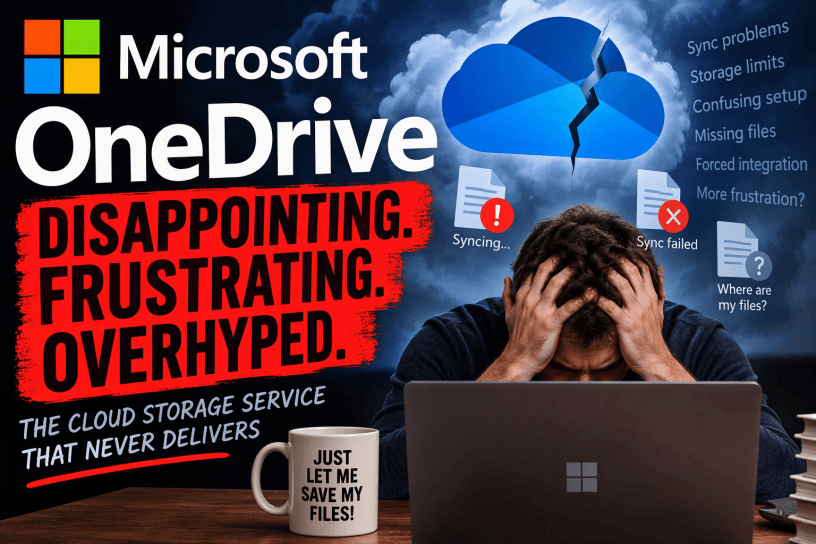
For years, Microsoft has positioned OneDrive as the centerpiece of its cloud storage strategy. Integrated deeply into Windows, connected to Microsoft 365, and promoted as the natural place to store everything from family photos to business documents, OneDrive should be one of Microsoft’s strongest products. On paper, it has everything it needs to succeed: broad platform support, generous integration with Office applications, and the backing of one of the largest technology companies in the world.
Yet despite those advantages, OneDrive remains a product that frequently frustrates users, confuses workflows, and creates headaches that seem unnecessary in a mature cloud storage platform. While many people use it every day without issue, OneDrive continues to exhibit shortcomings that prevent it from delivering the seamless experience Microsoft promises.
This article examines many of the criticisms commonly directed at OneDrive and explores why it remains one of Microsoft’s most controversial consumer services.
A Product That Tries To Be Invisible But Constantly Gets In The Way
OneDrive’s design philosophy appears straightforward: store files in the cloud while seamlessly integrating with local storage. Ideally, users should not need to think about where their files reside.
The reality is often very different.
Many users struggle to understand whether a file is stored locally, available online only, or synced between devices. Microsoft introduced Files On-Demand to reduce storage consumption, but the feature introduces an entirely new layer of complexity.
A document might appear in File Explorer yet fail to open without an internet connection. A photo may look present but actually exist only as a placeholder. Users can right-click files and select options such as “Always keep on this device” or “Free up space,” but these concepts are not always obvious to non-technical users.
What should have been a simple file storage system often becomes an exercise in decoding cloud status icons.
The average person simply wants to know one thing: Is my file actually here?
With OneDrive, the answer is not always immediately clear.
Microsoft’s Obsession With Defaulting Everything To OneDrive
One of the most persistent criticisms of OneDrive is the aggressive way Microsoft pushes adoption.
Many Windows installations strongly encourage users to sign into Microsoft accounts and enable OneDrive synchronization. Documents, Pictures, Desktop, and other folders are frequently redirected into OneDrive-backed storage.
While Microsoft presents this as convenience, critics argue it removes user choice.
A person might save files to what appears to be a normal Desktop folder without realizing they are being synchronized to the cloud. Another user may discover months later that storage limits have been reached because their photo collection has silently consumed available cloud space.
The issue is not necessarily cloud backup itself.
The issue is transparency.
Users should clearly understand where their data is stored and why. Instead, OneDrive sometimes feels less like an optional service and more like a feature that Windows desperately wants users to accept.
Sync Problems Remain a Longstanding Complaint
Cloud storage lives or dies based on synchronization reliability.
When users trust a cloud platform, they assume changes will appear on every device quickly and accurately. Unfortunately, OneDrive has developed a reputation for synchronization issues over the years.
Common complaints include:
- Files stuck in sync.
- Endless “processing changes” messages.
- Missing documents.
- Duplicate folders.
- Synchronization conflicts.
- Delayed uploads.
Even when these problems affect only a small percentage of users, they strike at the heart of what cloud storage is supposed to accomplish.
The worst aspect of sync issues is uncertainty.
If a streaming service has a bug, users may lose entertainment for an evening. If cloud storage experiences sync problems, users can begin wondering whether important documents, photos, or work files are actually safe.
That uncertainty damages confidence in the platform.
The Confusing Relationship Between OneDrive and Windows
A major criticism of OneDrive stems from how tightly integrated it is with Windows.
Normally, software can be installed or removed according to user preference. OneDrive occupies a strange middle ground.
It feels like an optional service while simultaneously behaving like an operating system feature.
Disabling OneDrive, changing folder locations, or preventing synchronization can sometimes require navigating settings spread across multiple locations. While Microsoft has improved these controls over time, many users still report confusion regarding what is local, what is cloud-based, and what remains synchronized.
The lines between Windows and OneDrive can become blurry.
Rather than appearing as a clearly defined application, OneDrive sometimes feels like a layer woven throughout the operating system.
When everything works, this integration is convenient.
When something breaks, it becomes difficult to determine where the problem actually lies.
Storage Limits Can Create Unexpected Friction
Cloud storage always involves a balancing act between free and paid capacity.
OneDrive’s free storage tier is often criticized for being too restrictive in a world increasingly dominated by high-resolution photos, videos, and large files.
Modern smartphones generate enormous quantities of media. A family can easily consume gigabytes of storage within a relatively short period of time.
When limits are reached, users may encounter warnings, halted synchronization, or pressure to upgrade subscriptions.
Critics argue that Microsoft frequently positions OneDrive as the default destination for personal content while simultaneously providing a free tier that many users outgrow quickly.
The resulting experience can feel less like a convenience feature and more like a funnel into paid services.
File Recovery Is Not Always As Simple As It Should Be
Microsoft heavily advertises backup and recovery capabilities.
Theoretically, cloud synchronization should protect against data loss. However, recovery processes are not always intuitive.
Users who accidentally delete folders, rename directories, or experience synchronization conflicts may find recovering content surprisingly stressful.
Part of the problem is that cloud storage introduces additional layers between users and their files.
Instead of simply locating a file on a local drive, users may need to navigate recycle bins, version histories, synchronization settings, account portals, and restoration tools.
Each layer provides additional capability.
Each layer also introduces additional complexity.
What should be a reassuring safety net can occasionally feel like a maze.
OneDrive’s Mobile Experience Often Feels Secondary
Microsoft offers OneDrive apps across mobile platforms, but critics frequently argue that the experience lacks the polish found in competing ecosystems.
Part of this stems from Microsoft’s position in the market.
Apple designs both hardware and software for its ecosystem. Google controls Android. Microsoft operates largely as a guest on platforms owned by competitors.
The result is an experience that sometimes feels functional rather than exceptional.
Features may work correctly while still lacking the elegance, responsiveness, or integration found in competing cloud services.
For a product aspiring to be the center of users’ digital lives, merely being “good enough” is a questionable strategy.
Performance Can Feel Inconsistent
OneDrive’s performance varies significantly depending on file counts, folder structures, internet conditions, and device specifications.
Some users report years of flawless operation.
Others encounter sluggish synchronization, extended indexing periods, and unexplained performance bottlenecks.
Large directories can become particularly troublesome. Professionals working with extensive project archives may discover that cloud synchronization introduces friction that simply does not exist with purely local storage.
Even when OneDrive functions correctly, the perception that performance might suddenly degrade can create anxiety.
Reliability matters.
Predictability matters even more.
The User Interface Lacks Clarity
OneDrive suffers from a broader Microsoft problem: feature accumulation.
Over time, products often gain new capabilities without rethinking core usability.
OneDrive now includes sharing controls, personal vaults, version history, synchronization preferences, backup options, collaboration settings, file status indicators, storage management tools, and cross-device integrations.
While each feature provides value individually, the collective experience can become overwhelming.
New users frequently encounter unfamiliar terminology and numerous settings panels.
Experienced users may eventually adapt, but software should not require extensive adaptation simply to perform basic storage tasks.
The best technology disappears into the background.
OneDrive often reminds users of its existence.
Sharing Files Should Be Easier
Modern cloud storage services are built around collaboration.
OneDrive supports sharing, but its permissions system can sometimes feel unnecessarily complicated.
Users may encounter questions such as:
- Can anyone access this link?
- Is editing enabled?
- Does the link expire?
- Is authentication required?
- Are changes tracked?
These options exist for valid reasons, especially in professional environments.
However, average users often want a simpler outcome:
“I need to send this file to someone.”
The gap between that simple goal and the permissions model can create confusion.
As a result, file sharing occasionally feels more complicated than it should in 2026.
Deep Integration Creates Deep Risks
OneDrive’s greatest strength may also be its greatest weakness.
By integrating deeply with Windows, Office, Outlook, and Microsoft 365, the service offers tremendous convenience.
However, integration means failures can ripple outward.
A synchronization issue may affect Office documents.
An account problem may impact file access.
Storage limitations may interfere with backups.
What begins as a cloud storage problem can quickly become a productivity problem.
This interconnectedness increases the consequences of mistakes and magnifies user frustration.
Competition Highlights OneDrive’s Weaknesses
Comparisons with competing services often expose areas where OneDrive struggles.
Google Drive is frequently praised for browser-based workflows and collaboration.
Apple’s iCloud excels in ecosystem cohesion for Apple users.
Dropbox retains a reputation for synchronization simplicity despite losing some market share over the years.
Each competitor has flaws.
Yet OneDrive sometimes feels caught between identities.
It wants to be a consumer backup service, a business collaboration platform, a Windows feature, an Office companion, and a cloud storage provider simultaneously.
In attempting to satisfy every audience, it occasionally delivers a less focused experience for all of them.
Microsoft’s Track Record Creates Trust Concerns
Another challenge OneDrive faces has little to do with technology itself.
Microsoft has a long history of launching, rebranding, merging, and retiring services.
Consumers have witnessed products such as Groove, Windows Live offerings, Cortana’s consumer ambitions, and numerous other transitions come and go.
As a result, some users remain cautious about becoming deeply dependent on any Microsoft service.
Even when OneDrive itself appears secure, questions linger about future changes, pricing adjustments, interface redesigns, and strategic shifts.
Trust is difficult to earn and easy to lose.
For cloud storage providers, trust is arguably the most important asset of all.
The Fundamental Problem
The biggest criticism of OneDrive is not any individual bug, limitation, or design flaw.
It is complexity.
Cloud storage should reduce complexity.
Instead, OneDrive sometimes introduces new questions:
- Where are my files?
- Are they local?
- Are they synced?
- Who can access them?
- What happens if I disconnect?
- Why is synchronization paused?
- Why is storage full?
- Which version is correct?
Technology succeeds when it fades into the background.
OneDrive frequently places itself at the center of the user experience.
Conclusion
OneDrive is not a terrible product. In many respects, it is a capable and feature-rich cloud storage platform. Millions of people rely on it every day, and countless documents, photos, and projects are stored within its infrastructure.
Yet capability alone does not guarantee satisfaction.
The service remains burdened by confusing synchronization behaviors, aggressive integration tactics, unclear storage concepts, interface complexity, and a tendency to blur the distinction between local and cloud-based computing.
Microsoft’s vision is understandable: a world where every file is available everywhere, automatically and effortlessly.
The criticism is equally understandable: many users feel the experience is not yet as effortless as Microsoft claims.
Until OneDrive can consistently make cloud storage feel simple, transparent, and predictable, it will continue to face skepticism from users who just want a straightforward answer to a straightforward question:
“Where, exactly, are my files?”

